


WordPress-外掛Super Socializer-社交分享登錄留言贊

WordPress-外掛Super Socializer-社交分享登錄留言贊

WordPress-外掛Super Socializer-社交分享登錄留言贊

WordPress-外掛Super Socializer-社交分享登錄留言贊

WordPress-外掛Super Socializer-社交分享登錄留言贊

WordPress-外掛Super Socializer-社交分享登錄留言贊

WordPress-外掛Super Socializer-社交分享登錄留言贊
『Jetpack』下下都要銀吾鬼用佢,改用『Google-Site Kit』, 而『分享』改用『Super Socializer』, 佢支持『社交分享』『社交登錄』『社交留言』『社交贊』, 宜家祇用『社交分享』share文章. 佢幾乎支持冚世界『社交媒體』.
| Social Share, Social Login and Social Comments Plugin – Super Socializer |
- 登入Wordpress後台.
- 係左側撳『外掛』->『Add plugin』
- 搜尋外掛『Super Socializer』稳到『Social Share, Social Login and Social Comments Plugin – Super Socializer』
- 撳『Install Now』立即安裝 , 後撳『Activate』啟用.-
- 或者係左側撳『外掛』->『Super Socializer』->撳『Activate』啟用.
- 係左側撳『Super Socializer』->『Social Sharing』
- 勾『Enable Social Sharing』
- 撳『Theme Selection』設置分享撳制樣式
- 『Shape形狀』勾『Rectangle矩形』
- 其它預設. 撳下面『Save Changes』儲存設定.
- 撳『Standard Interface』設置標準分享介面.
- 勾『Enable Standard sharing interface』啟用標準分享介面
- 目標網址『Target Url』勾『Url of the webpage where icons are located (default)』當前網頁地埗.
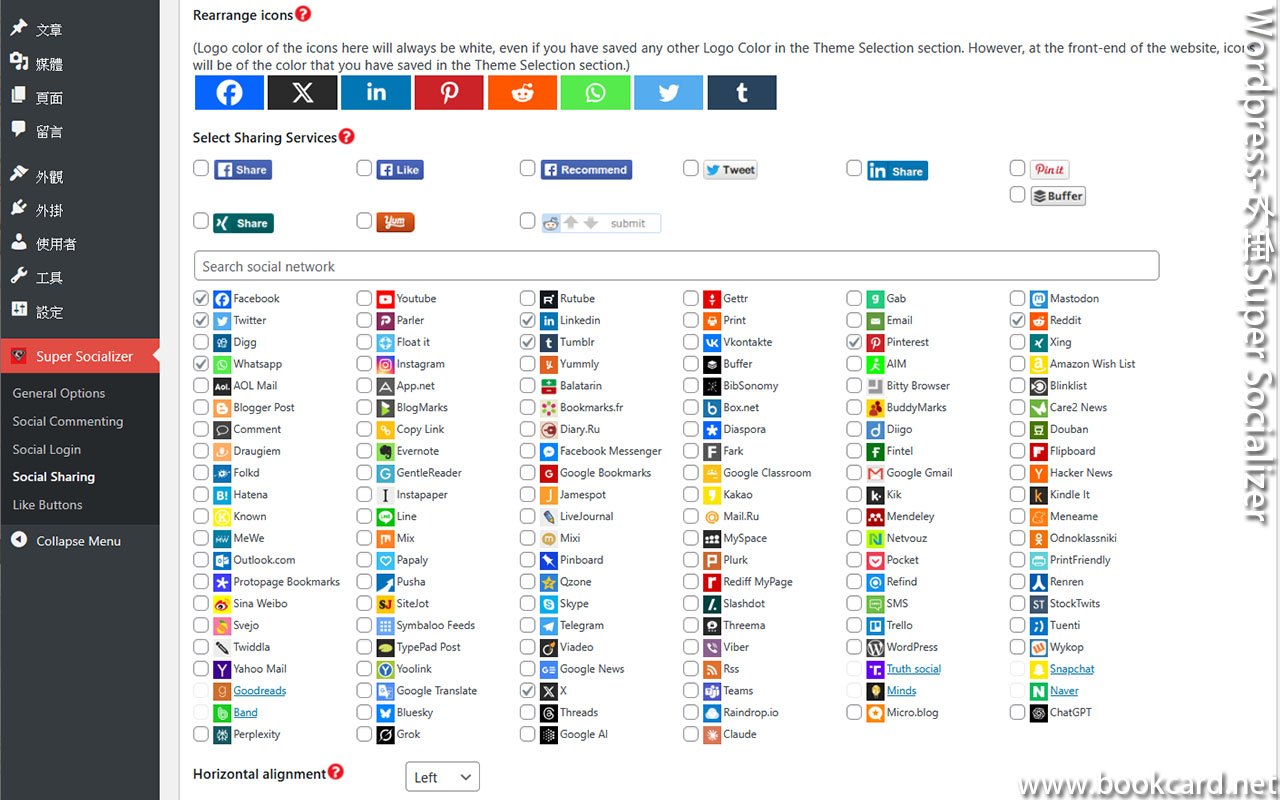
- 勾要加入『社交媒體』
- 『Horizontal alignment』水平對齊,揀『Left』靠左側排.
- 『Position with respect to content』分享撳制位置,勾『Bottom of the content』頁底.
- 『Placement』選擇放置分享網頁, 勾『Posts文章』仝『Pages頁面』
- 禁『Show share counts』取消顯示分享次數
- 禁『Show total shares』取消顯示總分享次數
- 勾『Enable ‘More’ icon』顯示更多『社交媒體』撳制
- 撳下面『Save Changes』儲存設定.
- 撳『Floating Interface』設置浮動分享介面.
- 禁『Enable Floating sharing interface』取消浮動分享介面.
- 撳下面『Save Changes』儲存設定.
No Responses